 oasis-b
Parallax maps
Drawing a map as one picture instead of tiles, and what to watch out for.
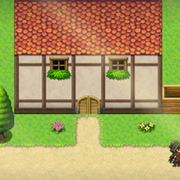
A parallax is an image set in the Map Properties. Normally it is a sky or sea behind the tiles. Parallax mapping uses a whole hand-drawn picture of the map instead of tiles.
How it is usually done
- Draw the map in an image editor at 48 pixels per tile, the map size times 48.
- Set it as the parallax and tick "Show in the Editor" so you see it while you place events.
- Paint passability with invisible tiles from a tileset made for that, or with regions and a plugin that blocks regions.
- Parts that must be drawn above the player (treetops, roofs) go on a second image above the characters. That needs a picture over the map or a plugin for an upper layer.
Watch out
- Big images cost a lot of memory. Split very large maps or keep them smaller on phones.
- A parallax that loops or scrolls is meant for skies. For a parallax map, turn looping off.