 oasis-b
LW_Overpass
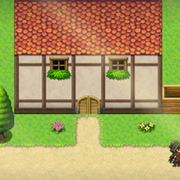
Bridges with two levels: walk over them and under them, set up with two regions.
Needs LW_Core (LWZ_Core in MZ) above all Living World plugins in the Plugin Manager. It's included in every pack.
Walk over the bridge and under it, on the same map.
Highlights
- Bridges with two levels, set up with just two regions
- The party walks over the bridge while a road runs below
- Events follow the same rules, so traffic works both ways
- Draw the bridge as usual, no extra layers or parallax
Ideas for your game
- A stone bridge over a road in town
- A wooden walkway over a river with a boat below
- Rails on two levels in a mine
Works well with
Introduction
Requires LW_Core.
A road runs under a bridge, the party walks over it, and both work. Draw the bridge as usual, mark it with two regions, done.
Building a Bridge
1. Draw the bridge on layers B to E, or with star tiles. On bridge
   tiles these layers are drawn above characters on their own. The
   ground on layer A decides the way below: a road can be walked,
   water can't.
2. Mark every tile of the bridge surface with the Bridge Region.
3. Mark the tiles at both ends, where one steps onto the bridge, with
   the Ramp Region.
The default regions 255 and 254 are the ones most bridge plugins use, so bridges you already built keep working.
Rules
- Stepping on a ramp tile puts a character on the upper level.
- Up there it can only walk on bridge and ramp tiles. The tiles below
  don't matter.
- Stepping from a ramp onto a normal tile puts it down again.
- Below, only the ground counts, and the bridge hides the character.
- Characters on different levels never bump into each other and never
  start each other's events.
Script Call
character.lwIsHigh() true while on the upper level
Terms of Use
See TERMS_OF_USE.txt in the download. Short version: use it in as many of your own games as you like, free or commercial. Edit it for your game, but keep this header. Don't share or resell the plugin files on their own. Name oasis-b in the credits of your game.
Changelog
Version 1.0.0 - 2026-11-21 - First release.
Introduction
Requires LWZ_Core.
A road runs under a bridge, the party walks over it, and both work. Draw the bridge as usual, mark it with two regions, done.
Building a Bridge
1. Draw the bridge on layers B to E, or with star tiles. On bridge
   tiles these layers are drawn above characters on their own. The
   ground on layer A decides the way below: a road can be walked,
   water can't.
2. Mark every tile of the bridge surface with the Bridge Region.
3. Mark the tiles at both ends, where one steps onto the bridge, with
   the Ramp Region.
The default regions 255 and 254 are the ones most bridge plugins use, so bridges you already built keep working.
Rules
- Stepping on a ramp tile puts a character on the upper level.
- Up there it can only walk on bridge and ramp tiles. The tiles below
  don't matter.
- Stepping from a ramp onto a normal tile puts it down again.
- Below, only the ground counts, and the bridge hides the character.
- Characters on different levels never bump into each other and never
  start each other's events.
Script Call
character.lwIsHigh() true while on the upper level
Terms of Use
See TERMS_OF_USE.txt in the download. Short version: use it in as many of your own games as you like, free or commercial. Edit it for your game, but keep this header. Don't share or resell the plugin files on their own. Name oasis-b in the credits of your game.
Changelog
Version 1.0.0 - First release for MZ.
Get it
LW_Overpass is in these packs. Every pack comes as an MV and an MZ download at the same price and needs no other plugin collection. Tested in RPG Maker MV 1.6.2 and MZ 1.10.0 games on Windows, macOS and Linux and in current browsers.